Project Details
Tools: Figma, Google Slides (concept), Google Docs, Voice Memos, Canva, QuickTime, Miro, ChatGPT
Timeline: One Semester
Project Type: School project
Timeline: One Semester
Project Type: School project
Key Skills
- Skill 1: UI/UX Design
- Skill 2: Accessibility Design
- Skill 3: User Research
The Challenge
The project:
For my capstone course, I was tasked with creating a project that helps a group of people while incorporating the three pillars of my major: Business, Technology, and Design.
For my capstone course, I was tasked with creating a project that helps a group of people while incorporating the three pillars of my major: Business, Technology, and Design.
The objective of the project:
To design a solution that improves accessibility in digital design tools, specifically addressing common issues that impact users with low vision.
To design a solution that improves accessibility in digital design tools, specifically addressing common issues that impact users with low vision.
The constraints:
- Had to be completed within one semester
- Needed to balance business viability, technical feasibility, and design quality
- Focused scope on low vision accessibility (contrast, alt text, font size)
- Had to be completed within one semester
- Needed to balance business viability, technical feasibility, and design quality
- Focused scope on low vision accessibility (contrast, alt text, font size)
Research & Inspiration
I began by researching accessibility gaps in digital products and found that many interfaces fail to meet basic accessibility standards.
To better understand the problem, I conducted:
- Interviews
- Observations
- Secondary research and readings
- Interviews
- Observations
- Secondary research and readings
I organized my findings using affinity mapping and developed key insight statements. I also created three personas and completed a competitive analysis to evaluate existing solutions.
This research revealed that many current tools:
- Are not built into platforms
- Require extra effort to use (like plugins)
- Do not educate users on why accessibility matters
- Are not built into platforms
- Require extra effort to use (like plugins)
- Do not educate users on why accessibility matters
These insights directly shaped my direction.
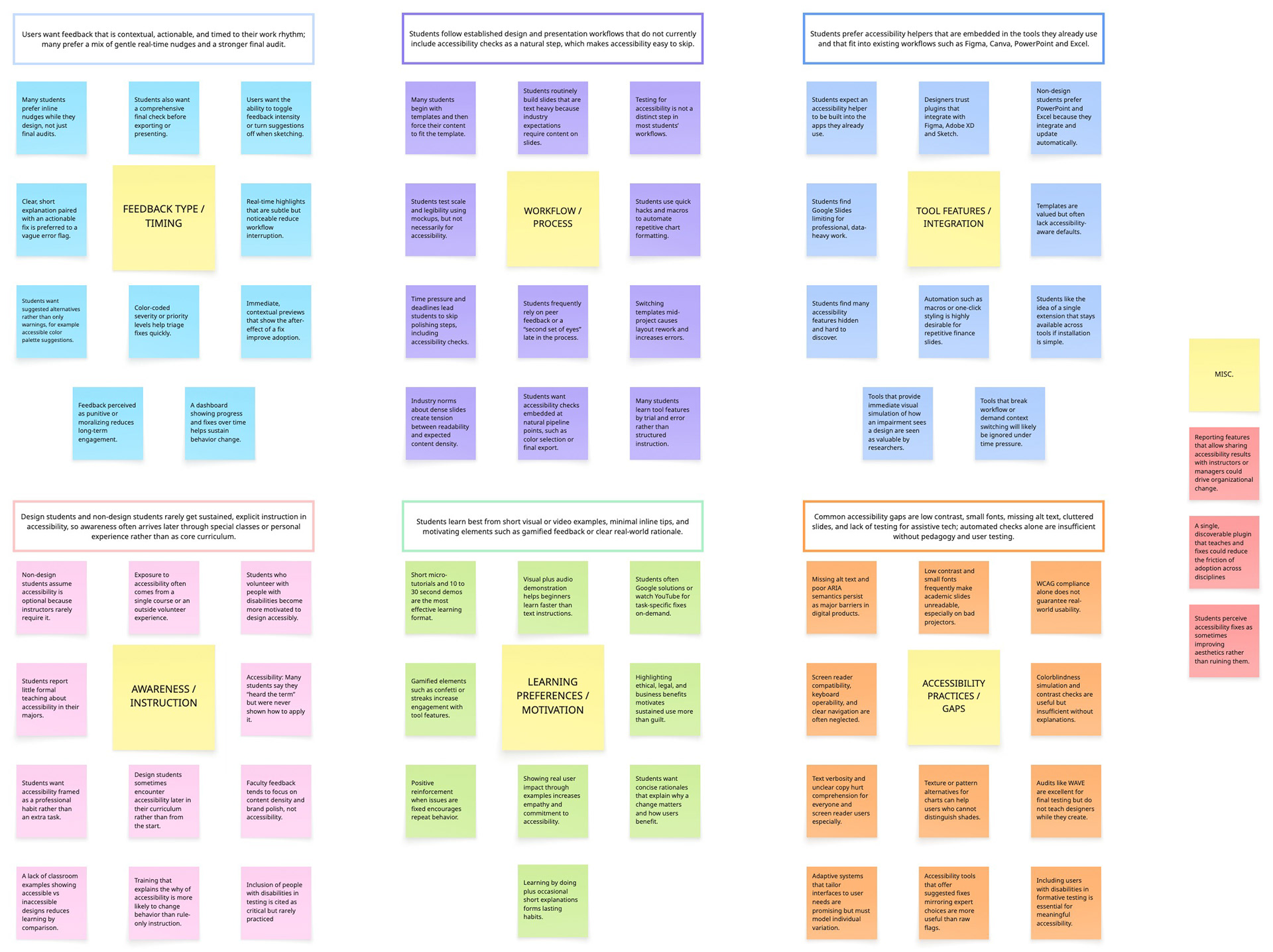
Affinity Mapping
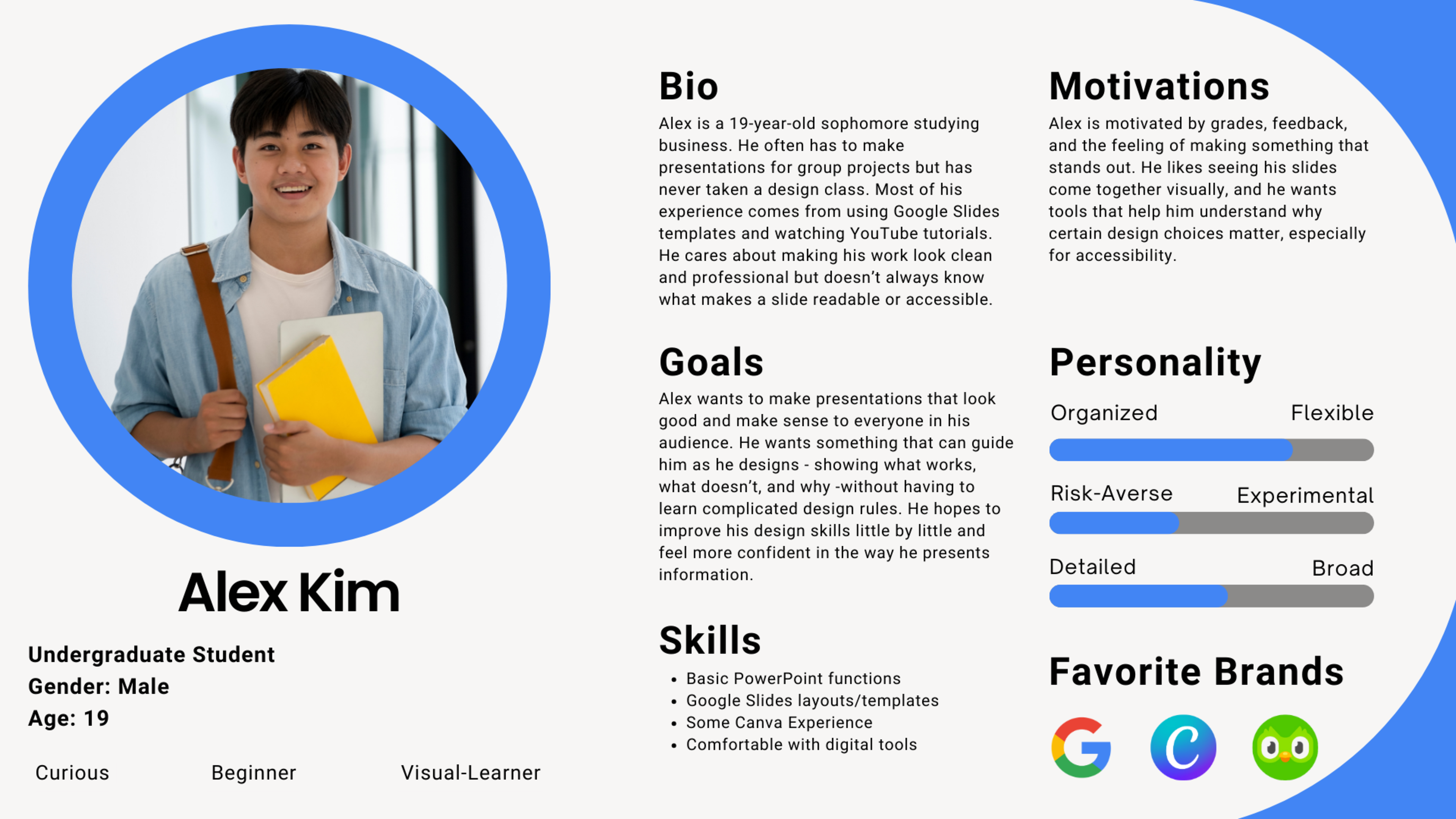
Primary Persona
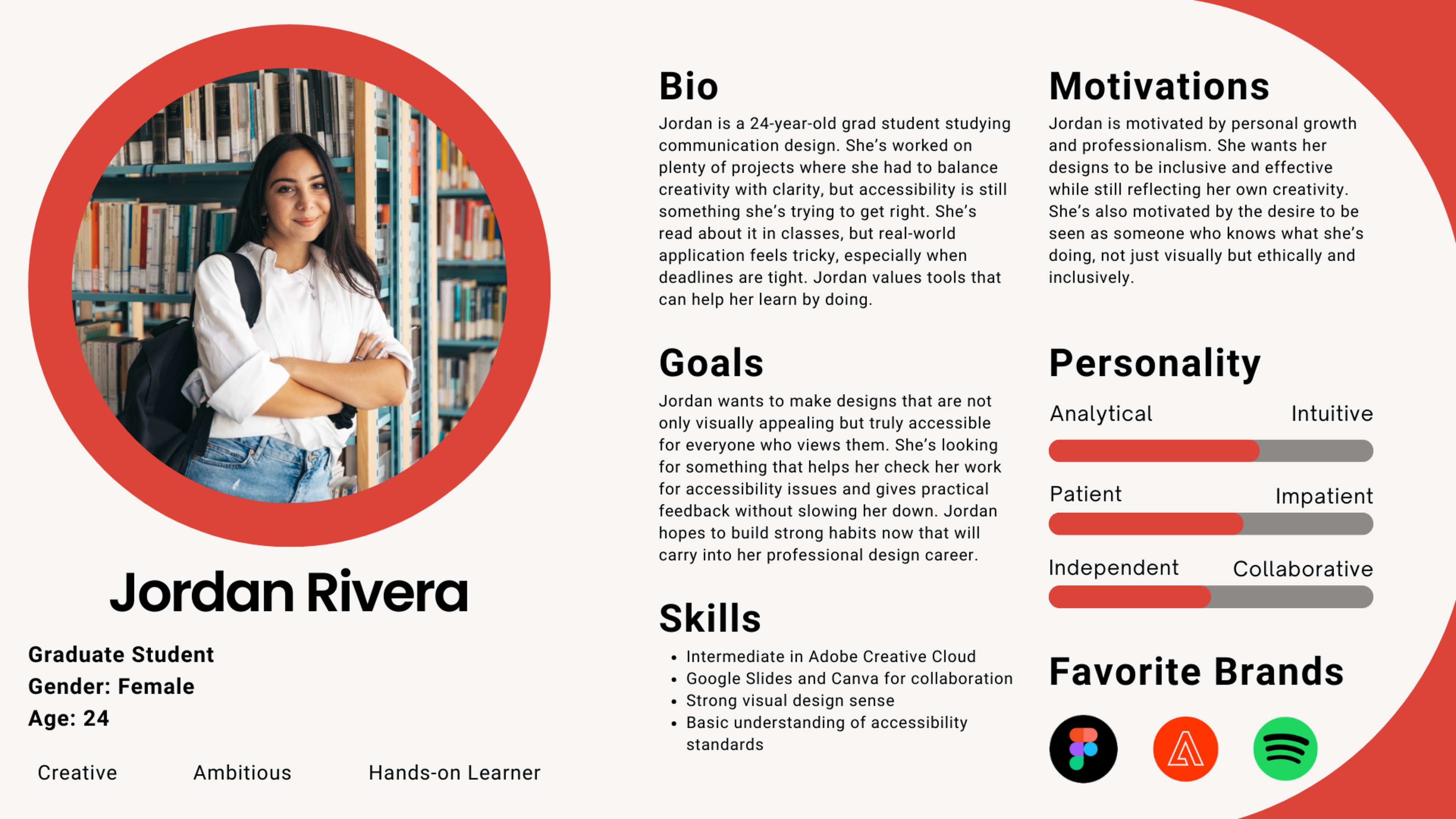
Secondary Persona
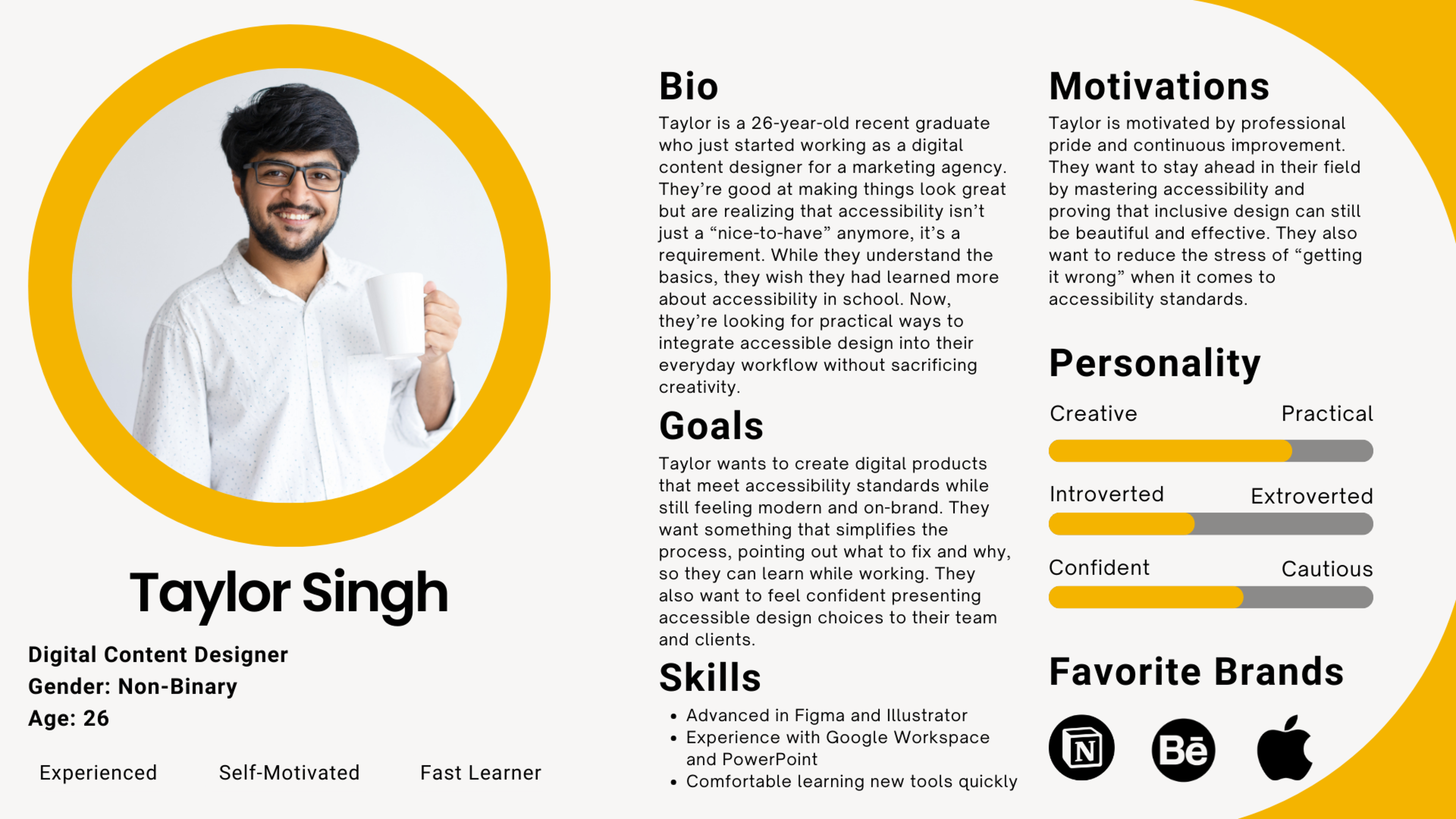
Tertiary Persona
Ideation & Early Concepts
During ideation, I explored multiple ways an accessibility tool could exist within a user’s workflow.
Some early ideas included:
- Standalone tools
- Plugin-based solutions
- Integrated platform features
- Standalone tools
- Plugin-based solutions
- Integrated platform features
I ultimately chose to design a built-in accessibility checker for Google Slides because it removes friction and increases the likelihood that users will actually engage with accessibility features.
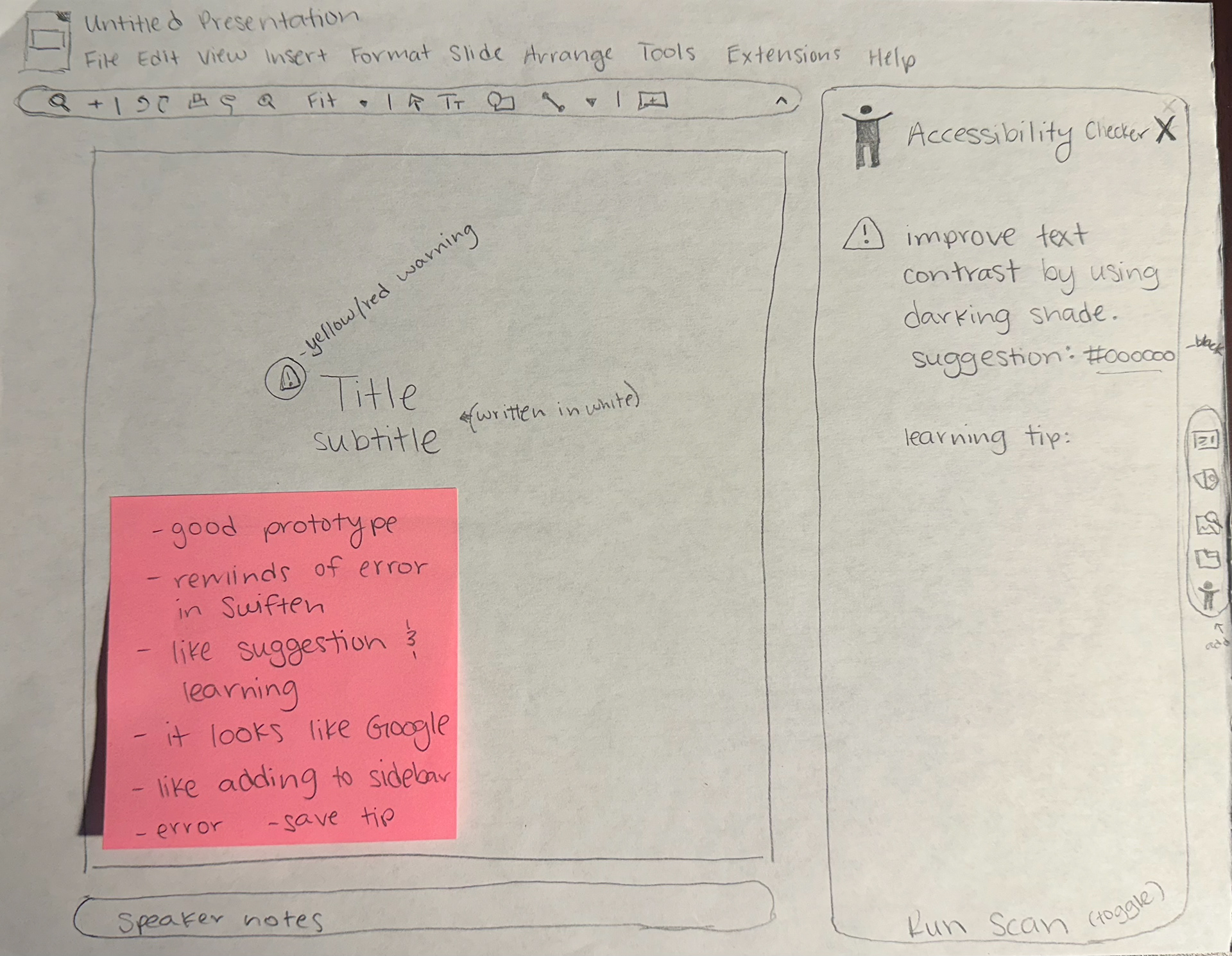
Gave myself 10 minutes to sketch what I thought my solution could look like, then shared it with my peers. Their feedback (on the pink sticky note) was really helpful.
Design Process
I spent a large portion of the semester designing and iterating on a high-fidelity mockup in Figma.
Throughout the process, I:
- Continuously refined the interface based on feedback from peers, my professor, and an accessibility mentor
- Focused on making the tool easy to use and visible within the user’s workflow
- Designed features that check for contrast, alt text, and font size
- Continuously refined the interface based on feedback from peers, my professor, and an accessibility mentor
- Focused on making the tool easy to use and visible within the user’s workflow
- Designed features that check for contrast, alt text, and font size
One key design decision was ensuring the tool is:
- Built-in (not a plugin) to reduce user effort
- Optional but visible, allowing users to opt in or out
- Educational, explaining why accessibility issues matter
- Built-in (not a plugin) to reduce user effort
- Optional but visible, allowing users to opt in or out
- Educational, explaining why accessibility issues matter
I also created a walkthrough experience to demonstrate how the feature would function within Google Slides, along with supporting marketing concepts.
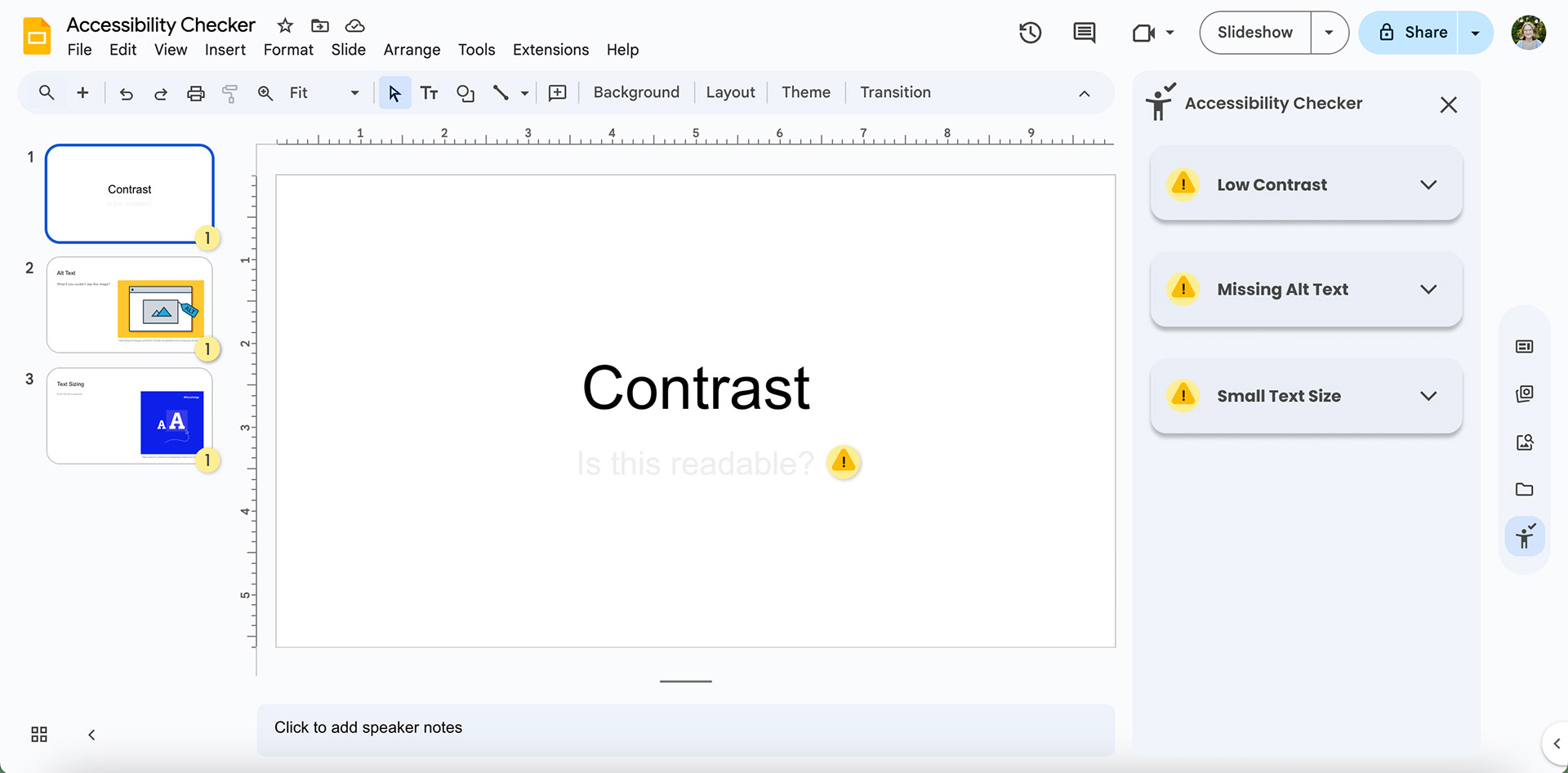
Here’s the first real screen of my Figma prototype, showcasing what it could look like when a slideshow runs into errors.
Final Outcome
The final product is a concept for a built-in accessibility checker within Google Slides that:
- Identifies accessibility issues related to low vision
- Provides real-time, actionable feedback
- Educates users on why each issue matters
- Integrates seamlessly into an existing workflow
- Identifies accessibility issues related to low vision
- Provides real-time, actionable feedback
- Educates users on why each issue matters
- Integrates seamlessly into an existing workflow
This solution removes barriers to accessibility by making it easier, faster, and more intuitive for users to create inclusive presentations.
Here is a quick walk through of my final prototype.
Reflection
This project reinforced how critical accessibility is in design and how often it is overlooked.
I learned:
- The importance of designing for inclusivity from the start
- How to translate research into actionable design decisions
- How small features can create a large impact at scale
- The importance of designing for inclusivity from the start
- How to translate research into actionable design decisions
- How small features can create a large impact at scale
This project also changed how I approach design. I now believe that everything I create should be checked for accessibility, regardless of time constraints.
If I revisited this project, I would:
- Expand the checker to cover more accessibility categories
- Conduct user testing with individuals who have low vision
- Explore implementation feasibility in more depth
- Expand the checker to cover more accessibility categories
- Conduct user testing with individuals who have low vision
- Explore implementation feasibility in more depth